
Enjoy our Free Children's Books
Embark on Adventures, Inspire Young Minds, and Cultivate a Love for Reading - Nurturing Belief Through the Power of Stories...
Explore Our Creative World


Welcome to Monkey Pen – a reliable digital platform offering free, high-quality educational resources to stimulate young minds and shape a brighter future. With our dedicated team of artists, illustrators, and writers, we create valuable learning materials that combine fun with developmental benefits, enabling young learners worldwide. Our mission to create and publish 3,650 books worldwide is coming to life through young readers who actively engage with these free, printable knowledge kits.
What do we offer?
We believe that every child deserves access to quality education, which is why we offer a growing library of free children’s books, coloring books, coloring pages, color-by-number pages, educational posters and personalised children’s books, regardless of their background.
All are free, high-resolution PDFs that are easy to download and print. To make them globally accessible by anyone, we have included free download options, allowing families, educators, and children everywhere to access and enjoy our materials anytime, anywhere.
Free children’s books
Monkey Pen launches an amazing collection of free children’s books to awaken curiosity in young minds, cultivate reading habits, and inspire love towards learning. Each story is carefully composed, featuring engaging narratives and captivating illustrations, as well as thoughtful values that encourage early education and foster self-awareness and empathy.
Whether you're adding magic to bedtime or fun to classroom learning, our engaging children's books are the perfect solution.
Our free books are available for children of all ages, ranging from toddlers to 10-year-olds, including preschoolers and school-going children. With no sign-up or subscription charges, parents or teachers can instantly download these sheets online, whether at home, school, or anywhere. They are hassle-free and ready to enjoy.
From wild animal tales to heartwarming life lessons, every story is a way to build storytelling abilities and social skills while sparking joy in young readers.
Check out our full series of free children’s books and see how storytelling helps young readers grow wiser, dream bigger, and think deeper every day.
Free coloring books
Our free coloring books are creative gateways to spark imagination and joy in children while keeping the little hands busy and minds engaged. Whether your child loves pets, wildlife, cartoon characters, fantasy, or sea creatures, our pages are designed to nurture and delight young minds.
Each theme is paired with a wide variety of illustrations, from whimsical to thoughtful, all crafted to develop fine motor skills, color recognition, and storytelling abilities.
Whether looking for recreational fun, learning with entertainment, or discovering something mindful, these free coloring books offer the perfect solution.
With instant access, family members and teachers can print free PDFs in multiples or the whole bundle and surprise the budding artists at home and in classrooms with no effort.
Whether beginner or expert, every growing age and skill is accessible to free coloring books that are completely free with no sign-ups and purchase costs. Explore our entire collection of free coloring books and make every creative moment special.
Free coloring pages
Embark on an artistic journey with Monkey Pen’s free coloring pages, ideal for kids aged between 1 and 10. Whether introducing a child to art for the first time or already exploring their imaginations in enchanting colors, our pages are a perfect fit for all your needs.
From daily life drawings to mystical scenes, we have illustrated every page with significant love and care for our young explorers. Whether you choose animals, vehicles, fairy tales, or festivals, every page unlocks an opportunity to bring them to life with experimental colors.
Our ready-to-print sheets not only encourage learning but also support hand-eye coordination and improve focus and emotional intelligence. While coloring every page, children discover something new and build confidence in their creativity and expression.
Visit our free coloring pages and soar in the world of imagination, creativity, and joyful learning.
Free color by number sheets
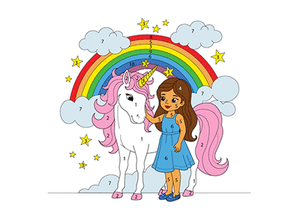
To kickstart the child’s numeracy skills and mental dexterity, Monkey Pen presents artistic fun learning with numbers through free color-by-number printables. While learning numbers, recognizing patterns, and spotting shades, this activity is a perfectly recreational one, improving concentration and boosting memory.
Suitable for kids aged 4 to 8, these resources can be widely used at home, in classrooms or even during outdoor learning adventures. These sheets are free and easy to download and print as PDFs.
Check out our free color-by-number sheets today and enhance your child’s numeracy and coloring abilities with ease!
Dot-to-dot pages
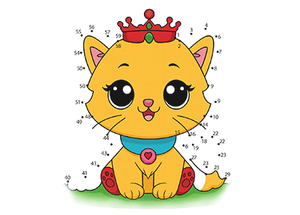
Monkey Pen’s dot-to-dot pages are great tools for learning number recognition, sequencing, and developing early math skills. Designed for preschoolers and early learners, these pages inspire curiosity, inviting kids to discover the hidden image behind the dots. Young ones are first involved in finding out the magic by connecting the numbers, then later start coloring the picture, unleashing creativity and imagination. From cute animals to everyday objects, we have included a variety of themes for kids to explore.
Our dot-to-dot pages are entirely free to download, so parents and educators can start downloading these printables today to show the real magic to kids.
Free educational posters
Step into a world of visual and engaging learning with Monkey Pen’s free educational posters, covering alphabets, numbers, colors, animals, and other early education essentials. More than traditional teaching tools, these colorful posters deliver knowledge, values, and life lessons in a fun and memorable way.
With easy-to-download PDF formats, parents and teachers can use these printables by displaying them on bedroom or classroom walls. Perfect for early learning centers, nurseries, homeschooling, and classroom teaching.
Whether you're teaching tiny toddlers or curious young learners, these posters are a wonderful addition to their learning environment—supporting early education and sparking young minds.
Download our series of free educational posters today to make learning fun and easy.
Access all our printable resources in one place!
Monkey Pen is a perfect go-to destination for discovering the best and age-appropriate educational resources for little munchkins. From storybooks and coloring pages to color-by-number activities and educational posters, every resource is designed to empower, educate, and inspire the charming world of young generations.
We sincerely appreciate every parent, teacher, and child who joins us on this wonderful journey of learning and creativity, shaping bright futures and making a lasting impact in the real world.
As educational platforms grow, ensuring that parents and teachers can easily discover these resources is just as
important as creating them, learn more about how organic growth helps education websites reach wider audiences.

